Facebook Collection Ads Examples and When They Win
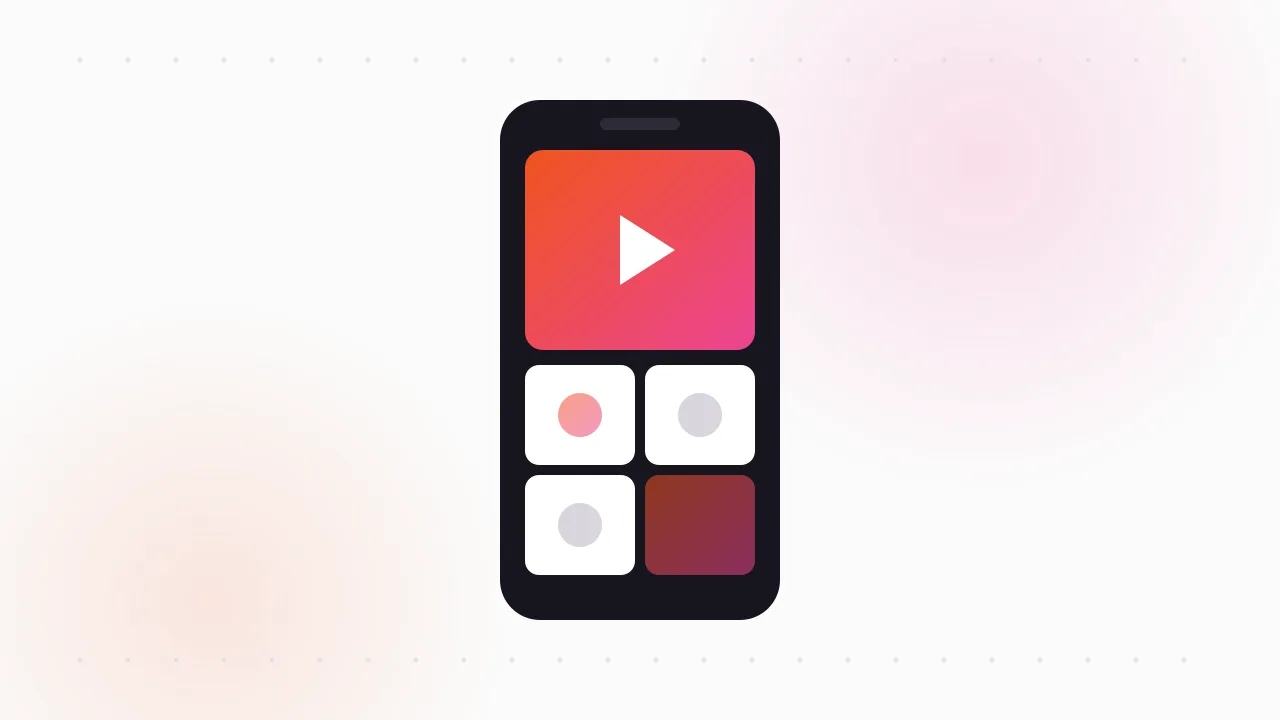
The best Facebook collection ads examples pair one strong cover video or image with three or four product tiles underneath, so the shopper sees the mood and the products in the same glance. When they tap, a full-screen Instant Experience opens where they can browse more products without leaving Facebook or Instagram.
It's one of Meta's most shoppable Facebook ads formats, and also one of the most misused. Here is how the format works, when it earns its place, and the patterns I see brands keep running.
What is the Facebook collection ad format?
A collection ad has two layers.
In the feed, the viewer sees a cover (an image or video) on top and a small grid of product images below it, usually three or four. There's a headline and primary text like any other ad.
On tap, the ad opens an Instant Experience: a full-screen, fast-loading mobile page hosted by Meta. It can hold a longer video, a lookbook, a product grid, buttons and links out to your site. Our guide to Facebook Instant Experience ads goes deeper on that full-screen layer.
At the time of writing, Meta offers several ready-made templates for the instant experience collection layer, with names along the lines of storefront, lookbook, customer acquisition and storytelling. The storefront style pulls products from a catalog. The others let you build the page from your own images and videos. Meta renames and reshuffles these templates now and then, so treat the names as a guide.
When does a collection ad beat carousel or catalog ads?
This is the real question, because all three formats can show several products.
| Format | What the viewer sees | Best for | Weak spot |
|---|---|---|---|
| Collection | Cover media + product tiles, opens full screen | Browsing a themed edit, visual brands | Mobile only, more work to build |
| Carousel | Swipeable cards, each with its own link | A sequence or a few products | Little context around each card |
| Catalog (Advantage+ catalog ads) | Products picked automatically from a feed | Retargeting and large catalogs | Creative often looks generic |
My rule of thumb:
- Use collection when the story is a mood or a set: a summer edit, a room, an outfit, a gift guide. The cover sells the feeling and the tiles sell the products.
- Use carousel when the story is a sequence, like step one, two, three, or a handful of hero products. Our carousel ad examples show that format at its best.
- Use catalog ads when you have hundreds of SKUs and want Meta to match products to people, especially for retargeting. See catalog ad examples for how brands dress those up.
Collection and catalog also overlap. A collection ad can draw its tiles from your catalog, which gives you dynamic products under a designed cover. That combination is common among larger ecommerce brands.
Which collection ad patterns keep running?
These are the patterns I see most often among collection ads that stay live for weeks or months. Longevity is the closest thing to a performance signal the Ad Library shows, because brands don't keep paying for ads that don't sell.
1. The lifestyle cover video. A short vertical video of the product in use, a model walking in the outfit, a living room coming together. The tiles below are the items in the video. The viewer sees it, wants it, and the product is right there.
2. The themed edit. "The linen edit", "Under $50 gifts", "Back to school". A cover image with a clear title, tiles from that edit. It works because the shopper doesn't have to decide what to look at.
3. One hero product, many variants. The cover shows the bestseller, and the tiles show colours or sizes. Popular with footwear, bags and homewares.
4. The shop-the-look. One styled scene on the cover, each item in it as a tile. Fashion, furniture and home decor use this constantly.
5. The UGC cover. A customer video or creator clip as the cover, with the featured products below. It gives the ad a native feel that studio imagery lacks.
6. The problem and the kit. For beauty, skincare and tools: a cover that shows the problem or routine, tiles that show each product in the routine.
- Lifestyle video cover
- Themed edit with a clear title
- Hero product plus variants
- Shop-the-look scenes
- Logo or text-only cover
- Random products in the tiles
- Cover and tiles that don't match
- Desktop-shaped images
What makes a collection ad cover work?
The cover does most of the work in the feed, so most of my testing goes there.
- Vertical-friendly framing. It's a mobile format, so check the cover on an actual phone, not a desktop preview.
- Motion in the first second. For video covers, something should move immediately. A static first frame looks like any other image ad.
- Room for the tiles. Don't put key text or faces at the very bottom, where the product grid sits.
- A clear theme. One idea per cover. "New arrivals" is weaker than "The weekend linen edit."
The Instant Experience matters too. Keep it fast: a short video or hero image, the product grid, and a clear button to shop. Long, scrolling instant pages with too many sections tend to lose people before they tap through.
How do you spot collection ads in the Ad Library?
The Meta Ad Library at facebook.com/ads/library shows every active ad from every advertiser, free. It doesn't label ads by format, so you spot collection ads by what they look like. For the wider research routine, our guide to seeing competitors' Facebook ads covers the basics.
- 1Search the brandOpen a fashion, home or beauty advertiser's ads.
- 2Look for cover plus tilesA main image or video with small product images below.
- 3Open on your phoneTap through to see the full Instant Experience.
- 4Check the start dateCollection ads live 30+ days are worth studying.
- 5Save the cover and tilesKeep the creative before the ad is paused.
Some honest notes from doing this:
- The preview is not always the full ad. In my experience the Ad Library card often shows the cover media and sometimes the product row, but not the Instant Experience behind it. Opening the ad's link on a phone gives you the real picture.
- Search by theme words. Terms like "shop the look", "edit", "collection" or "gift guide" in the ad text often surface this format.
- Big DTC brands use it most. Fashion, furniture, home decor and beauty brands are the best places to look.
Ads disappear from the library when they are paused, and there is no download button. To keep collection ad examples for a swipe file, I use our free Meta Ad Library downloader, which saves the cover video in original quality and the images, and can pack a whole search into one ZIP with a searchable index. The manual method is in how to download Facebook Ad Library videos.
Study the structure, the theme and the cover idea, then shoot your own. Don't reuse another brand's photos or videos in your ads. Copy the angle, not the asset. This isn't legal advice.
Are collection ads worth testing for your store?
If you sell visual products, have more than a handful of SKUs, and most of your traffic is mobile, yes. Collection ads work best for brands that can tell a visual story around a set of products.
They are less useful for single-product brands, where a strong video with a direct link usually does the job, and for brands whose buyers research on desktop. Test one collection ad against your best carousel on the same audience, and judge on purchases, not clicks. Instant Experiences tend to produce plenty of engagement, and not all of it turns into sales.
FAQ
What is a Facebook collection ad?
It's an ad with a cover image or video and a row of product images below it. Tapping it opens a full-screen Instant Experience where people can browse more products and then go to your site.
Are collection ads only on mobile?
Yes. Collection ads run in mobile placements on Facebook and Instagram, and the Instant Experience is designed for phones. Check Meta's current placement options, since they change over time.
What is the difference between collection and carousel ads?
A carousel is a row of swipeable cards, each with its own link. A collection ad has one cover with product tiles below and opens a full-screen experience, so it suits themed edits and shop-the-look stories better.
Do collection ads need a product catalog?
Not always. Storefront-style collection ads pull products from a catalog, while other Instant Experience templates can be built from your own images and videos. Meta changes these template options, so check what's available in Ads Manager.
How do I find collection ads in the Meta Ad Library?
Search fashion, home and beauty brands and look for ads with a main image or video plus small product images below. The library doesn't label formats, so open promising ads on your phone to see the full Instant Experience.
The Klipio extension adds a download button to every ad in the Meta Ad Library: one click per ad, or bulk-save a whole search as a ZIP with a searchable swipe file inside. Free, no sign-up.
Get the free extensionKlipio reads a competitor's live Meta ads, ranks them by how long they have been running — the honest signal that an ad is profitable — and turns the winning angle into on-brand creative for your own brand. 3-day free trial.
Start free — 3-day trial →