How to Download a Facebook Video Without an App
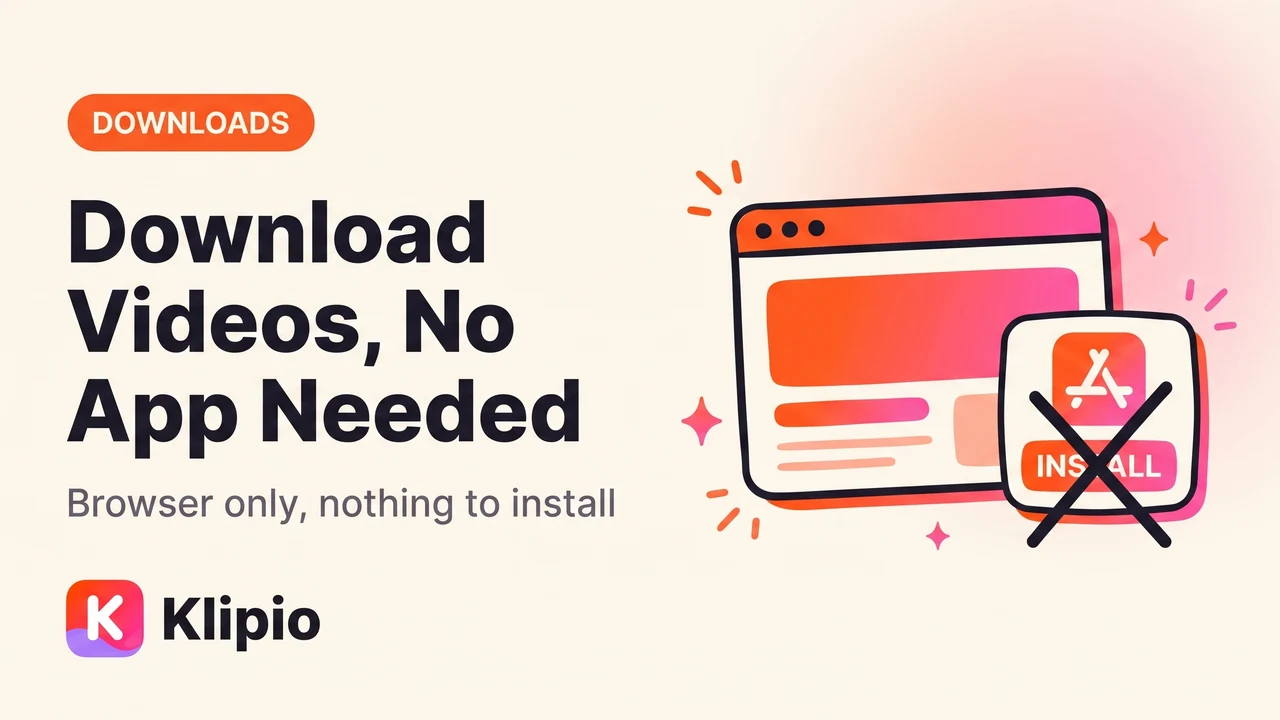
You can download a Facebook video without an app by doing it entirely in your browser — no software to install, nothing asking for permissions on your phone. The exact method depends on what you're downloading: a regular post uses a link-paste tool or a DevTools workaround, while a Meta Ad Library ad uses a free Chrome extension built for that library specifically.
Both are "no app" in the real sense — no download from an app store, no background process, no unfamiliar icon on your home screen. Here's how each one works.
How to download a Facebook video without an app
Facebook doesn't put a Download button on regular posts or Ad Library ads. Right-click a video and "Save video as" is usually missing, because the video streams through Facebook's own player instead of a plain link. That's true for a friend's post or a competitor's running ad.
There are two browser-only routes around this, and which one you want depends on the source:
- Regular post or video: copy the post's link, paste it into a browser-based link-paste tool, and download the file it generates. No extension, no app — just a webpage doing the work.
- Ad Library ad: install a free Chrome extension built for the library, and click the Download button it adds to each ad card. This is still "no app" — a browser extension runs inside Chrome, not as separate software on your device.
Both skip the thing most people picture when they hear "downloader" — a mobile app requesting contacts and storage access just to save one video.
Why skip a downloader app in the first place
Search "Facebook video downloader" on any app store and you'll find dozens of apps, many asking for permissions that have nothing to do with saving a video — contacts, photos, background activity. Some are fine. Others exist mainly to serve ads or collect data, and it's hard to tell which from the listing alone.
A browser-based method sidesteps that. A link-paste website runs in a tab and closes when you're done. A Chrome extension is sandboxed to the browser and only touches the page you're on — no background access after you close the tab.
The diagram below shows the two paths, and where each one leads.
Downloading video from the Facebook Ad Library without an app
If what you actually want is a competitor's ad, not a friend's post, the Ad Library (facebook.com/ads/library) is the place to start. It's free, shows every active ad from any advertiser worldwide, and each card shows "Started running on" — a rough proxy for how well the ad performs, since advertisers keep paying only for ads that work.
What it doesn't have is a download button. That's the gap a purpose-built Chrome extension fills, and it's still a browser tool, not an app:
- Search the Ad Library for the advertiser or keyword you're researching.
- Open the ad and click the Download button the extension adds to the card.
- The video saves as an MP4 in the ad's original resolution — no watermark, no re-encoding.
We built a free Chrome extension called the Klipio Ad Library Downloader for exactly this. It adds a Download button to every ad in the library, pulls video in original HD with no watermark, and grabs full carousels — every card, not just the first — in one click. A bulk mode scrolls a whole search and packs every running ad into one ZIP with a searchable swipe file and CSV.
It's free, needs no account, and runs on your own connection — nothing passes through our servers. Full setup is in our guide to downloading videos from the Meta Ad Library.
Facebook video download methods compared
Quality and effort vary a lot depending on the route. Here's how the common options stack up:
| Method | Works for | Video quality | Install required | Time per video |
|---|---|---|---|---|
| Right-click "Save video" | Neither | N/A — usually unavailable | None | — |
| Link-paste website | Regular posts | Varies by site | None | 30 sec–1 min |
| Browser DevTools | Regular posts, ads | Original, if found | None | 1–3 min |
| Mobile "downloader" app | Regular posts | Varies | App store install | 1–2 min |
| Ad Library Chrome extension | Ad Library ads | Original HD | Browser extension only | ~5 sec |
Link-paste sites vary the most in reliability — some strip quality, some carry heavy ad traffic of their own, and none of them handle carousel ads with multiple images or the ad's copy and CTA. If you're pulling video from a whole competitor search rather than one ad at a time, a bulk tool that collects every running ad into a single ZIP saves far more time; our guide to bulk downloading from the Meta Ad Library covers how that works.
Ad research tools that go beyond a single download
A download button solves the "get this one video" problem. Tracking a competitor's ads regularly calls for more — search, filtering, longevity tracking across many advertisers. Prices vary widely:
| Tool | Starting price | What it adds beyond a single download |
|---|---|---|
| Klipio Ad Library Downloader | Free | One-click and bulk video/image download, swipe file, CSV export |
| AdSpy | $149/mo, no trial | Searchable database of competitor ads |
| Foreplay | $59/mo ($49 annual) | Swipe files, boards, creative organization |
| Minea | From $49/mo | Cross-platform ad and product research |
| Pipiads | From $49/mo | Ad tracking with performance filters |
None of these require an app either — they're browser-based dashboards, same as the extension. If you want a fuller comparison of what each one covers, our roundup of ad research tools goes deeper into pricing and features.
Is it safe and legal to download a Facebook video without an app
Safety comes down to where the tool runs. A link-paste website or a Chrome extension operates inside your browser's sandbox and can't touch the rest of your device the way a poorly-vetted mobile app can. Stick to tools that don't ask for access beyond what the task needs.
Legality depends on what you're downloading and why. Saving a public ad from the Ad Library for research — studying the hook, the offer, how long it's run — is standard practice among media buyers who study competitors' Facebook ads. Reusing someone else's exact video commercially, rather than the idea behind it, is a different matter and can raise copyright issues.
This isn't legal advice. If you're unsure about a specific case, check with a lawyer.
FAQ
Can I download a Facebook video without installing an app?
Yes. A link-paste website works for regular posts, and a Chrome extension works for Meta Ad Library ads — both run inside your browser and never install as separate software on your phone or computer.
Is there a safe way to download Facebook ad videos without an app?
Use a browser extension built specifically for the Meta Ad Library rather than a generic mobile "downloader" app. An extension only activates on the pages it's designed for and doesn't request device-level permissions the way some apps do.
Why doesn't right-click "Save video" work on Facebook?
Facebook streams video through its own player instead of serving it as a direct file link, so the browser's native "Save video as" option is usually missing or greyed out. That's true for both regular posts and Ad Library ads.
Can I download a Facebook video without an app on my phone?
Link-paste websites work in a mobile browser, but Chrome extensions only run on desktop. For Ad Library ads specifically, doing the download on desktop gets you the extension's one-click, original-HD result instead of a lower-quality screen recording.
Do I need an account to download Facebook videos this way?
No. The Meta Ad Library is public and doesn't require login to view or search, and a free Ad Library download extension needs no account or sign-up either.
What's the difference between downloading a regular post and an Ad Library ad?
A regular post is one video with no guaranteed longevity — the poster can delete it anytime. An Ad Library ad shows how long it's been running, which is useful context for research, but it disappears from the library the moment the advertiser pauses it, so there's more reason to download it promptly.
Ready to pull your first ad without installing anything? The Meta Ad Library Downloader adds the download button directly to the library, free, no account, no app.
The Klipio extension adds a download button to every ad in the Meta Ad Library: one click per ad, or bulk-save a whole search as a ZIP with a searchable swipe file inside. Free, no sign-up.
Get the free Ad Library downloaderKlipio reads a competitor's live Meta ads, ranks them by how long they have been running — the honest signal that an ad is profitable — and turns the winning angle into on-brand creative for your own brand. 3-day free trial.
Start free — 3-day trial →