A page full of images. One workspace.
Collect accessible page images, responsive versions and CSS backgrounds. Use the side panel or right-click actions to stay in your browsing flow.
 Image Downloaderby Klipio
Collect, compare and download images from the page you’re viewing. Save a clean selection as an organized ZIP, in the format and size you need.
Chrome extension · No account required · Processing on your device
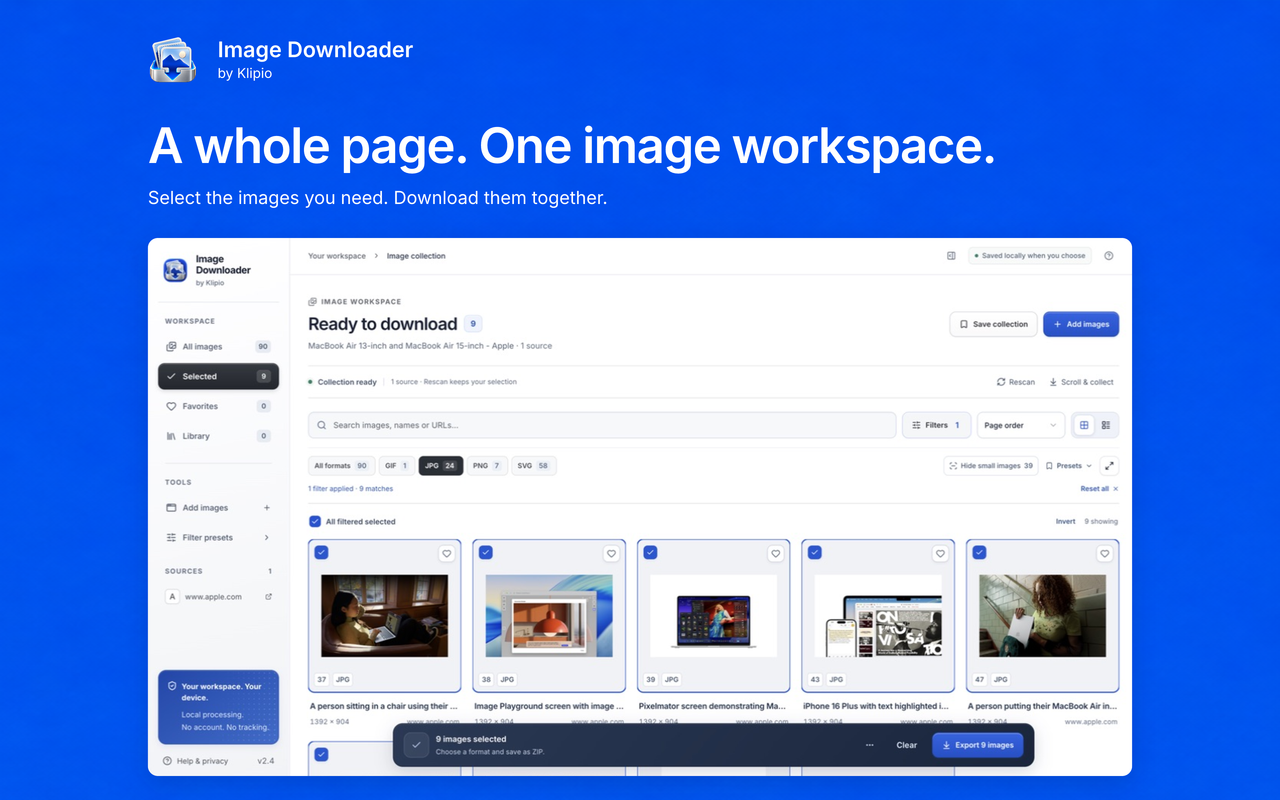
Collect accessible page images, responsive versions and CSS backgrounds. Use the side panel or right-click actions to stay in your browsing flow.
Search, filter by format and dimensions, preview full images and check page-provided versions before choosing what to download.
Keep original files or export JPG, PNG and WebP. Set image size, quality, filenames and folders, then download an organized ZIP.
Save collections and filter presets on this device. Restore archived collections or export a library backup of your image references.
Create contact sheets from selected images. Copy selected URLs or export source reports for your own records.
Review per-image results, retry failed files and keep successful downloads. Large selections are split into manageable ZIP parts.
The extension stores your settings and saved collections locally. No account is required. Usage and reliability diagnostics are enabled for new Chrome Web Store installations; existing settings are preserved on updates. You can turn reporting off in Help & privacy → Usage & reliability. Reports exclude page and image addresses, titles, filenames, collection names and image contents. Previews and downloads contact the original image hosts. You choose when to grant access to additional pages and image hosts. Read exactly how it works.
It reads images exposed by pages you authorize. Browser-protected pages, the Chrome Web Store, inaccessible frames and images requiring authentication may be unavailable. It does not bypass website restrictions or promise to recover hidden originals.
Yes. Original keeps the source bytes, including supported animated formats. Image conversion creates a single frame. The Versions panel checks only image addresses exposed by the source page.
You can queue up to 2,400 selected images. ZIPs split at 200 images or 100 MB per part. Each source image is limited to 20 MB, and image conversion is limited to 32 megapixels. Keep the workspace open while a queue is running.
Use the support guide for collection, permissions, export and recovery steps, or email hello@klipio.io.